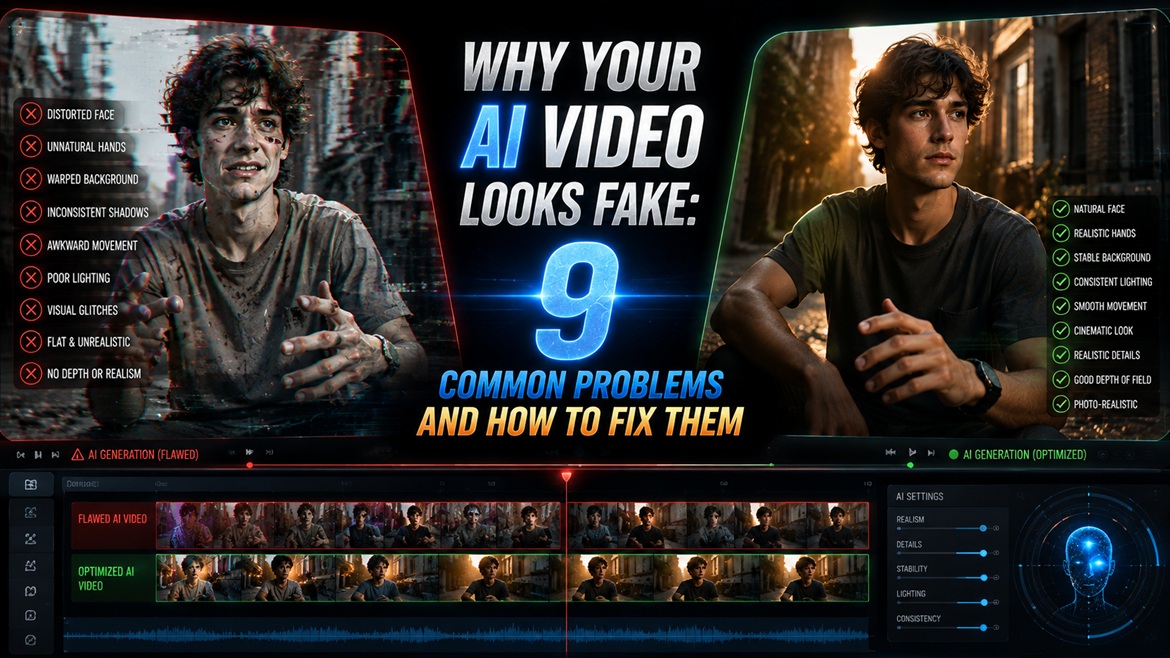
If you’ve spent any time making AI videos, you’ve probably noticed something strange.
A model can look incredible in a demo and still be frustrating when you actually try to make a 10–30 second sequence.
One generation looks perfect.
The next one changes the face.
The character’s clothes suddenly change.
The motorcycle becomes a different motorcycle.
A hand disappears.
The camera movement looks good, but the person’s body moves like CGI.
Then you try the exact same model through another platform and somehow get a noticeably different result.
That’s why simply asking “Which AI video generator is best?” doesn’t tell you much.
Recent Reddit discussions show users repeatedly comparing Veo, Seedance, Kling, Runway and other models, but their conclusions depend heavily on what they’re trying to make.
So instead of ranking everything from #1 to #10, this guide looks at the more useful question:
Which model is actually worth reaching for when you’re trying to make a specific kind of video?
The First Surprise: There Isn’t One Winner
One recent Reddit user who tested 10 AI video models with thousands of credits ranked Adobe Firefly highly for workflow, Veo 3.1 for photorealistic people and scenes, and Luma for cinematic visuals.
But another discussion comparing Seedance, Kling and Veo produced a very different picture.
One user described Veo as highly cinematic but frustrating because of short clips, while saying Seedance was easier to work with for longer material. Another user suggested Seedance and Kling are relatively close, with Seedance often having an edge in prompt following.
That’s the important part.
The “best” model changes when the job changes.
1. Veo 3.1 – When You Want the Shot to Feel Like It Was Filmed
Veo keeps coming up when people discuss realistic people, environments and cinematic footage.
In a recent 10-model Reddit test, the tester specifically selected Google Veo 3.1 as their choice for photorealistic people and scenes.
Another recent discussion highlighted Veo’s cinematic look and native audio capabilities.
Where I’d reach for Veo
Think:
- cinematic dialogue
- realistic people
- atmospheric establishing shots
- dramatic lighting
- natural environments
- scenes where sound matters
- premium-looking short clips
But there’s an important catch.
One recent Reddit user specifically complained that Veo’s clips can feel too short and cumbersome when building longer sequences, while finding Seedance easier to work with for longer content.
The interesting takeaway
Veo may produce the shot you want.
That doesn’t automatically mean it produces the workflow you want.
If your project needs 20–30 seconds built from multiple connected shots, generation length and iteration speed suddenly matter just as much as image quality.
2. Seedance – The Model People Keep Coming Back To
Seedance is interesting because Reddit discussions aren’t just praising its image quality.
People repeatedly talk about its prompt adherence and general usefulness.
One user comparing current models said Seedance was the model they kept coming back to for normal text-to-video work.
Another single-image video test reported Seedance performing strongly on benchmarks, while the testers found Kling relatively stable across scenes and Runway consistent but sometimes slightly artificial in motion.
There’s also evidence that creators are using it for more ambitious sequences. A Reddit post featuring early 30-second Seedance 2.5 generations attracted discussion around longer AI-video generation.
Where Seedance becomes interesting
It’s particularly attractive when you’re thinking beyond:
“Make me a cool 5-second video.”
and instead thinking:
“I need several shots that actually belong to the same video.”
That’s a very different problem.
3. Kling – The “Just Give Me Stable Motion” Option
Kling keeps showing up in discussions where users care about movement, realism and consistency.
In a single-image video test, users reported Kling producing relatively stable motion across different scenes.
Another Reddit discussion summarized the informal division pretty simply:
- Veo → cinematic
- Seedance → UGC/general use
- Kling → cinematic
Obviously, those labels aren’t scientific benchmarks, but they’re useful because they’re coming from people actually experimenting with the models.
Kling also gets attention for motion-control features and realistic movement. Users have specifically recommended its motion-control and Omni features when discussing alternatives to other video generators.
When I’d try Kling first
If your scene involves:
- walking
- running
- vehicles
- physical movement
- camera movement
- action
- environmental interaction
Kling is worth testing.
But don’t interpret “good motion” as “perfect character consistency.”
Those are two separate problems.
The Most Important Test: Don’t Compare Models With a Single Prompt
This might be the biggest mistake in most AI-video comparisons.
Someone generates:
“A woman walking through Tokyo at night.”
They generate it once in four models.
Then they declare a winner.
That’s almost useless.
A real comparison should test something closer to this:
Test A – Identity
Upload one reference image.
Generate the same person across multiple shots.
Check:
- face
- hair
- clothing
- body proportions
- accessories
Test B – Motion
Ask the character to:
- walk
- turn
- sit
- pick something up
- interact with an object
Then look for deformation.
Test C – Camera
Try:
- tracking shot
- low-angle shot
- close-up
- orbit
- handheld movement
Test D – Continuity
Generate:
Shot 1 → Shot 2 → Shot 3
Then ask:
Does this still look like the same person in the same world?
That final test is where the differences become much more interesting.
Character Consistency Is a Separate Problem
This is one of the strongest themes appearing in recent AI-video discussions.
A Reddit user working with ComfyUI compared a character LoRA, IPAdapter and simply re-prompting the character.
Their conclusion was particularly interesting: repeatedly describing the character in every prompt was the weakest approach for a multi-shot sequence. They reported better consistency by feeding every shot from one fixed reference node and keeping a pinned seed.
That gives us a much more useful rule:
Don’t ask the model to remember your character. Keep giving it the same source of truth.
This is especially important if you’re making:
- short films
- recurring characters
- music videos
- story sequences
- product characters
- cinematic reels
Why Your “Same Character” Video Still Changes Faces
Even with a good model, you’re asking the system to solve several problems simultaneously.
You want it to preserve:
Identity + clothing + environment + lighting + camera + movement + object continuity
while generating new frames.
That’s difficult.
Instead of trying to solve everything inside one enormous prompt, creators increasingly break the workflow into smaller pieces.
For example:
Step 1
Create the character reference image.
Step 2
Create the keyframe for the next shot.
Step 3
Animate that image.
Step 4
Generate another keyframe.
Step 5
Animate again.
Step 6
Join the clips in an editor.
This may look slower.
In practice, it can be much faster than regenerating an entire sequence because one 8-second generation went wrong.
The 2-4 Second Rule Is More Useful Than “Make a 30-Second Video”
One Reddit discussion about AI-video consistency recommends keeping generated clips extremely short and cutting between camera angles frequently.
That’s an important workflow insight.
Instead of asking:
“Generate my entire 30-second cinematic scene.”
Try:
Shot 1 – 3 seconds
Man starts the bike.
Shot 2 – 4 seconds
Low-angle tracking shot.
Shot 3 – 3 seconds
Close-up of face.
Shot 4 – 4 seconds
Bike arrives at tea shop.
Shot 5 – 3 seconds
He picks up the tea.
Shot 6 – 4 seconds
He rides away.
Now you’re editing a sequence rather than gambling everything on one generation.
The Weirdest Finding: The Same Model Can Look Different on Different Platforms
This is something generic comparison articles almost never mention.
A Reddit user tested Kling 3.0 and Veo 3.1 through Runway and compared those results with using the models directly elsewhere.
They reported noticeably softer faces, flatter lighting and weaker motion when running them through Runway, while claiming the direct Kling and Google workflows produced better results from similar prompts.
Whether that experience generalizes to every user is impossible to establish from one post.
But it raises an important point:
“Which model?” isn’t always the right question.
Sometimes the better question is:
“Where am I running the model?”
Your interface, settings, resolution, generation parameters, post-processing and access method can affect what you actually get.
Don’t Ignore Cost Per Failed Generation
AI video pricing is particularly misleading if you only look at the advertised subscription.
Imagine two models:
Model A
$30/month
10 generations needed to get the shot
Model B
$40/month
4 generations needed
The second model might actually be cheaper for a real project.
That’s why serious testing should track:
| Test | Model A | Model B |
|---|---|---|
| First usable result | 7 attempts | 3 attempts |
| Good motion | 4/10 | 7/10 |
| Good face | 5/10 | 8/10 |
| Good camera | 6/10 | 7/10 |
| Usable final clips | 3 | 6 |
| Editing required | High | Medium |
The subscription price alone doesn’t tell you much.
What Reddit Users Are Actually Saying
Instead of pretending there is scientific consensus, here’s the more interesting picture emerging from discussions.
Veo
People praise:
Cinematic realism, people, physics, audio.
People complain about:
Clip length/access and workflow friction.
Seedance
People praise:
Prompt following, overall quality, longer-form workflow potential.
People complain about:
Access/restrictions and cost depending on the platform.
Kling
People praise:
Motion, realistic movement and consistency across scenes.
People complain about:
It isn’t magically immune to identity drift or generation failures.
Runway
People praise:
Creative workflow and camera-control-oriented generation.
Interesting criticism:
Some users report that third-party models accessed through Runway don’t always look as good to them as the same models used directly.
So Which One Should You Actually Use?
Forget the giant ranking table.
Use this instead:
| What you’re making | First model I’d test |
|---|---|
| Cinematic realistic people | Veo 3.1 |
| Multi-shot AI story | Seedance |
| Motion-heavy scene | Kling 3.0 |
| Existing creative workflow | Runway |
| Experimental/local workflow | Open-source models |
These aren’t absolute winners. They’re starting points based on the patterns appearing in recent user discussions and tests.
The Workflow I’d Use for a 30-Second AI Video
If I were making the kind of cinematic sequence creators are posting on Instagram and YouTube, I wouldn’t pick one model and force it to do everything.
I’d use a pipeline.
Character
Create one strong reference image.
Keyframes
Create the important visual moments before animating them.
Generation
Use the model that handles that particular shot best.
Consistency
Feed the same reference into every relevant shot.
Editing
Cut the short clips together.
Finishing
Add:
- sound effects
- music
- ambient noise
- color correction
- film grain
- transitions
This approach also matches the direction of community workflows: creators increasingly describe AI video as a pipeline rather than a one-button generator.
What I Wouldn’t Do
I wouldn’t spend an entire afternoon asking one model to regenerate the same 20-second clip because:
“The face changed at second 14.”
Generate the shot again from a controlled reference.
I also wouldn’t judge a model from one spectacular demo.
And I definitely wouldn’t assume:
best benchmark = best tool for your project.
A model can win a benchmark and still be annoying for the exact workflow you need.
The Real AI Video “Ranking”
If we reduce everything down to practical decisions:
Best-looking single cinematic shot:
Veo 3.1 is one of the strongest places to start.
Best candidate for multi-shot experimentation:
Seedance deserves serious testing.
Best place to investigate when movement is the problem:
Kling.
Best lesson from the community:
Stop expecting one prompt to produce an entire finished film.
And perhaps the biggest lesson is this:
The best AI video generator isn’t necessarily the one that creates the prettiest demo. It’s the one that wastes the fewest generations while getting you from reference image → usable shot → finished sequence.
That is the comparison I’d use before spending money on any AI video subscription.
Sources used for the user-experience sections
The article above deliberately draws its practical observations from Reddit discussions and user tests rather than vendor marketing, including recent comparisons of Veo, Seedance, Kling, Runway, character consistency workflows, and single-image-to-video testing.