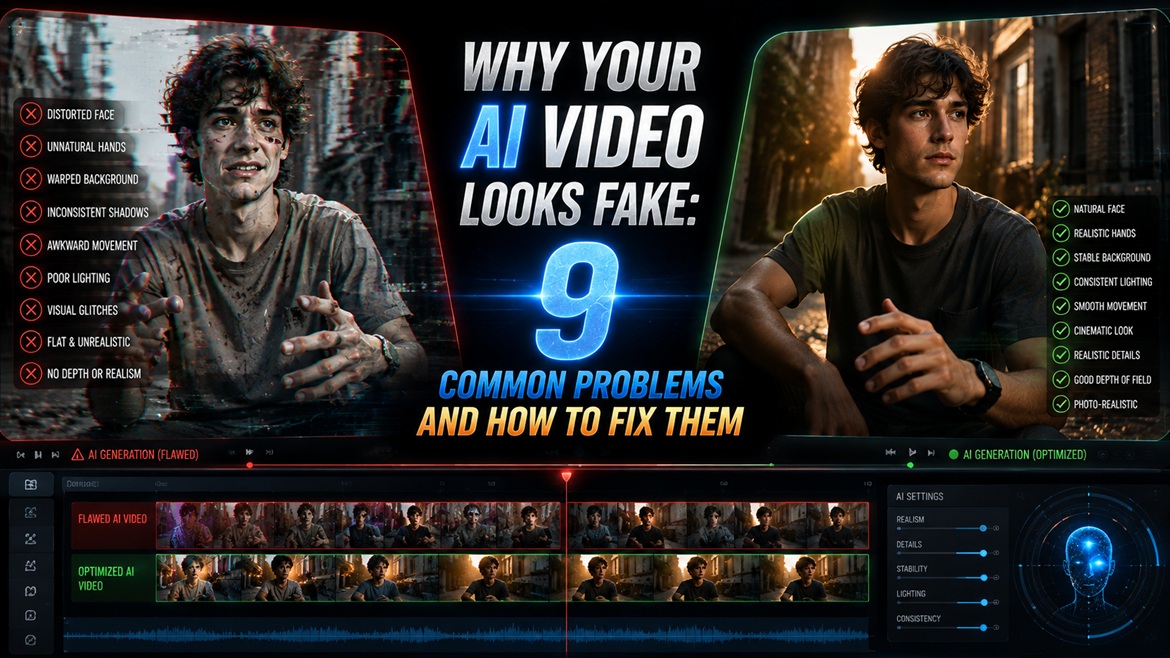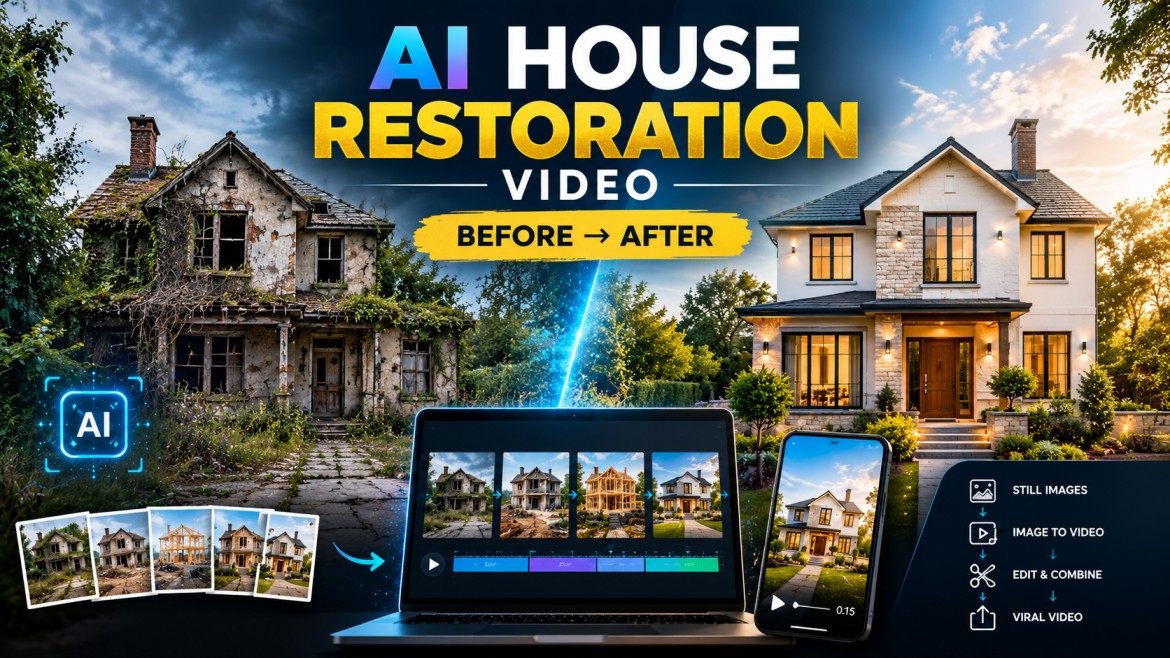
You’ve probably seen those AI renovation videos where a completely destroyed house slowly turns into something that looks like it belongs in an architecture magazine.
A derelict building is tidied up.
Walls are visible.
Windows evolve.
The landscaping is taking shape.
And then suddenly we see the completed house.
The interesting part is not the final image actually.
It looks like each stage is the same property.
That’s where most AI restoration videos fail.
One frame is taken from a slightly different angle. Another alters the roof. The windows slide. Halfway through the video the house suddenly changes to a different building.
The answer is not to treat the project as a single video generation.
Instead, build the transformation as a series of controlled visual waypoints, and animate the steps from one to the next.
This is basically what Reddit creators have recently described as AI construction and renovation workflows: generate multiple construction stages, keep the same visual setup, animate subsequent stages, and stitch the resulting short clips together.
The Procedure
Here’s what it looks like all together:
Before → Cleanup → Structural Work → Exterior Finishing → Landscaping → Final Reveal
You create the images first.
Then you animate the movement between these images.
Then you put the clips together into one short video.
This gives you a lot more control than asking a video model:
“Transform this abandoned house into a beautiful modern home.”
That sounds simple but you are asking the model to invent the construction process maintain architecture maintain camera position and create believable motion simultaneously .
Give it smaller tasks instead.
Step 1: Build the House Before You Animate Anything
Start with one good reference image.
The house should be easily visible and preferably taken from a relatively stable position.
Don’t start a restoration video with a super dramatic camera angle.
You want the house to be the eye anchor.
Before Image Prompt:
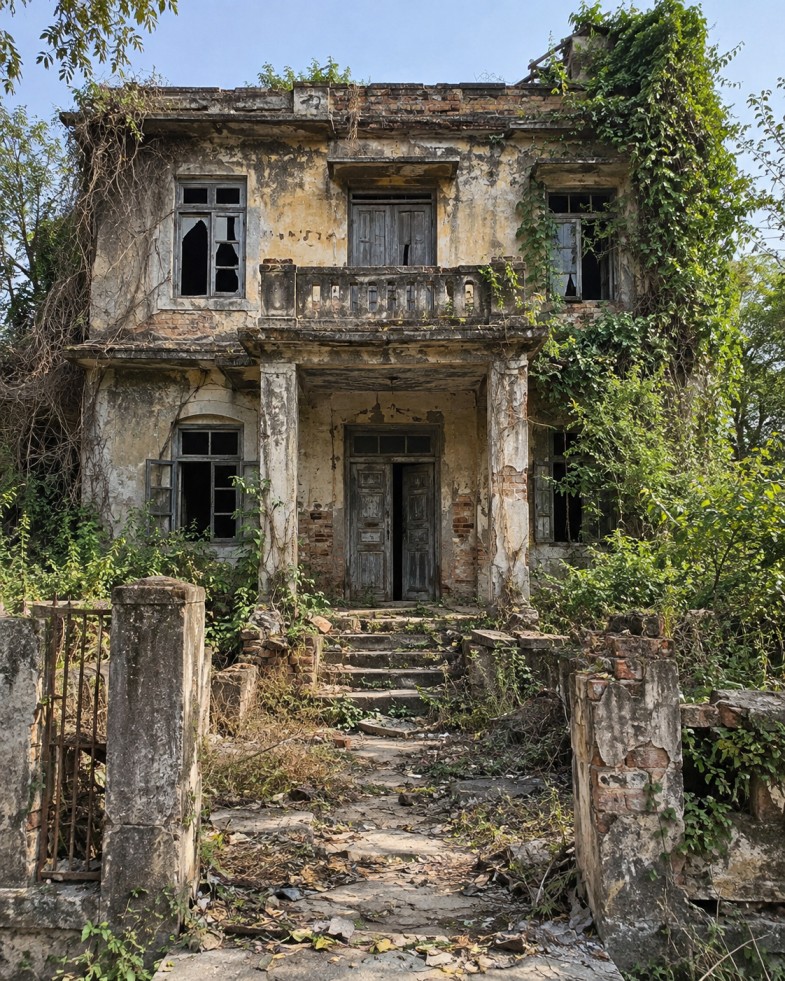
The important bit
Not yet, not after cinematic effects.
The first image is your masterpiece.
All the following should take over:
camera angle lens field of view house size arrangement horizon main architectural features light source angle
Step 2: Don’t Skip to the Completed House
This is one of the biggest things you can do to improve yourself.
Rather than:
Damaged -> Flawless
create a number of intermediate levels.
A Reddit creator who documented an AI construction-timelapse workflow described using 7 checkpoint images, with intermediate construction stages between the empty/unfinished starting point and final result. Another workflow also produces a realistic intermediate build phase before the video is rendered.
You don’t have to have seven frames.
5-7 checkpoints are a good place to start for a 15-30 seconds Reel.
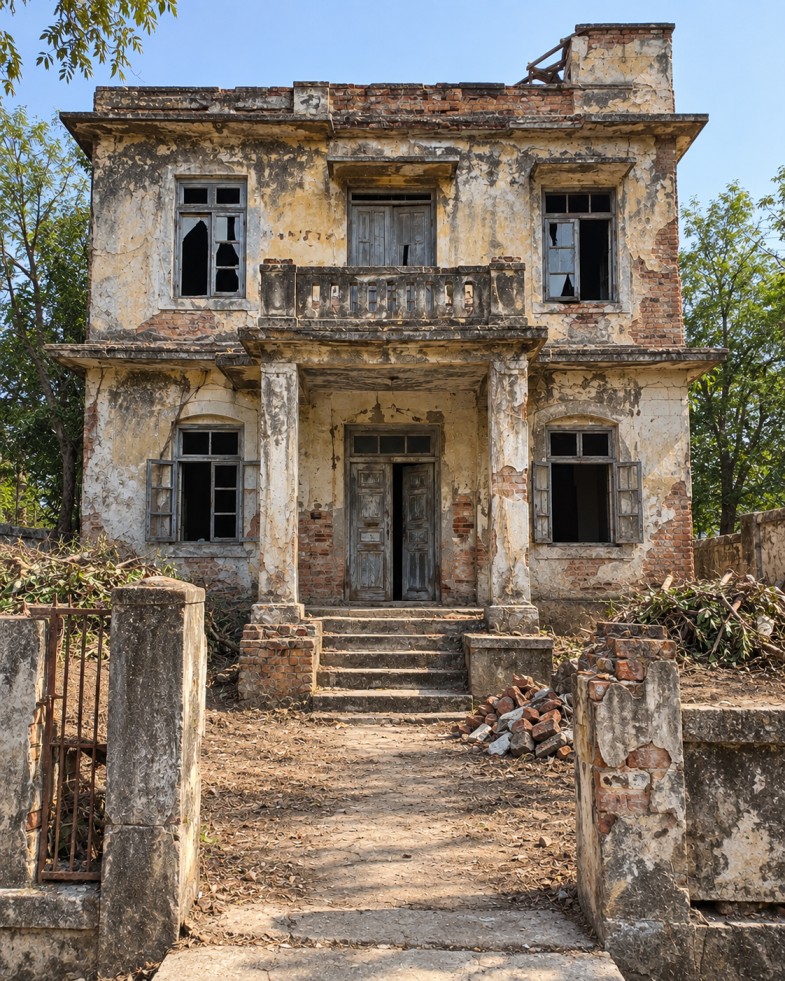
Step 3: Generate the Cleanup Stage
Use the previous image as the visual reference.
Checkpoint 2 – Cleanup
Step 4: Create the Structural Renovation
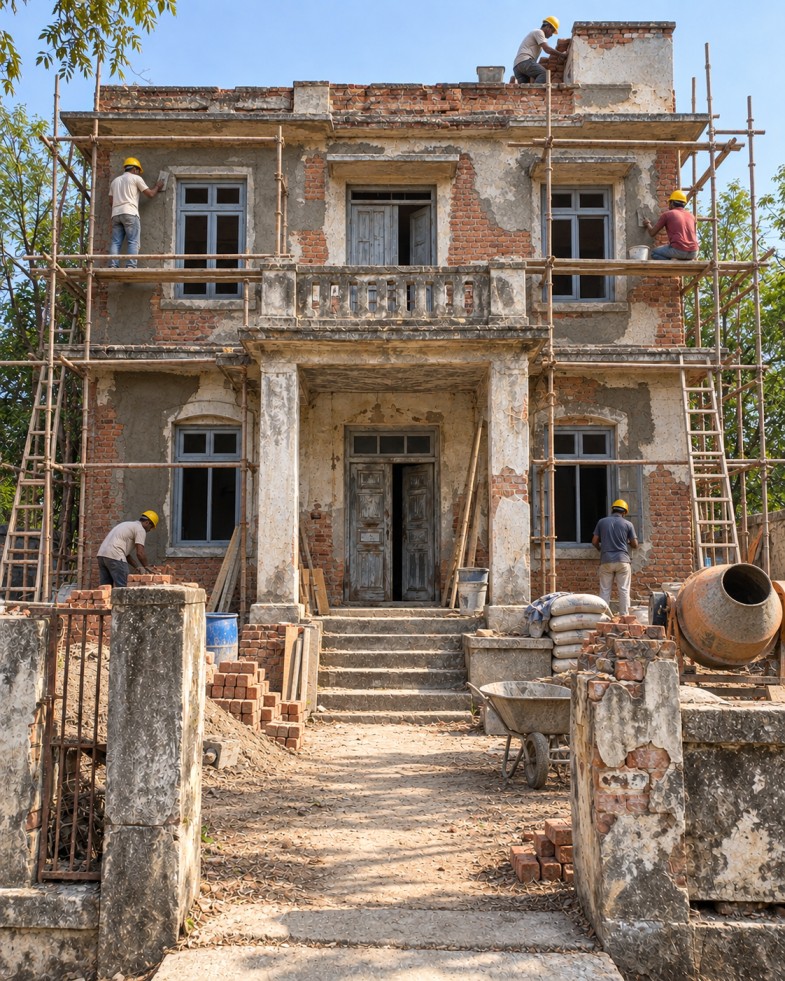
Now the property should visibly be under construction.
Checkpoint 3 – Structural Work
Step 5: Show the House Becoming a Real Home (Optional)
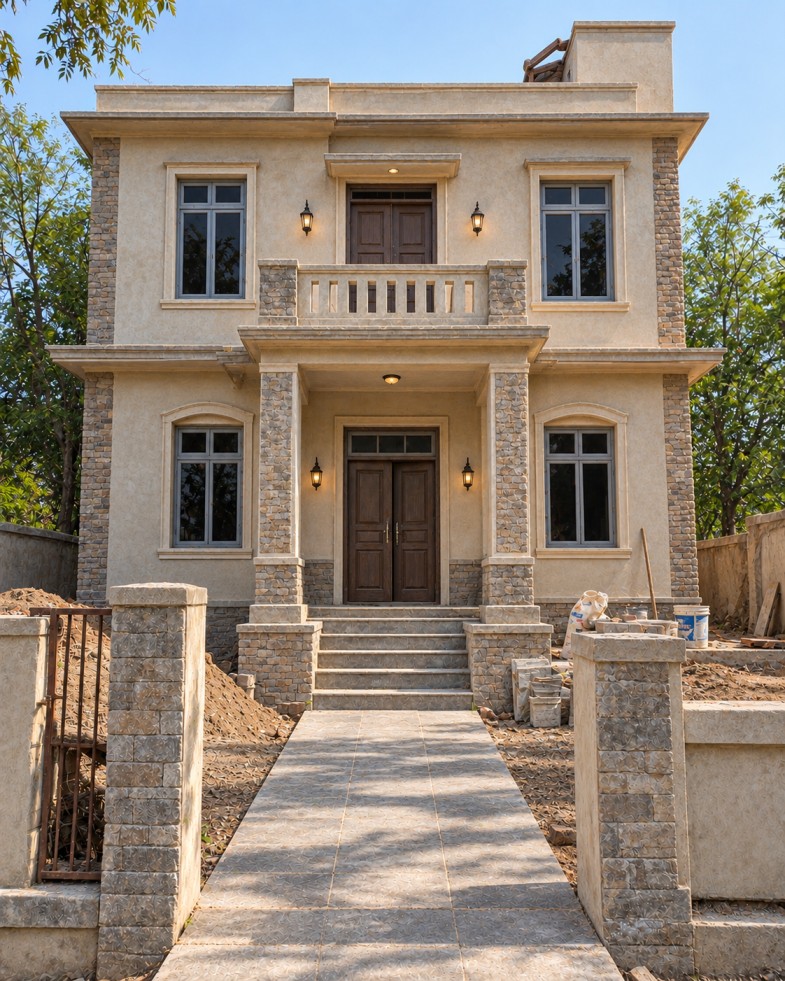
This is where the transformation starts becoming satisfying.
Checkpoint 4 – Exterior Finishing
Step 6: Add the Landscaping
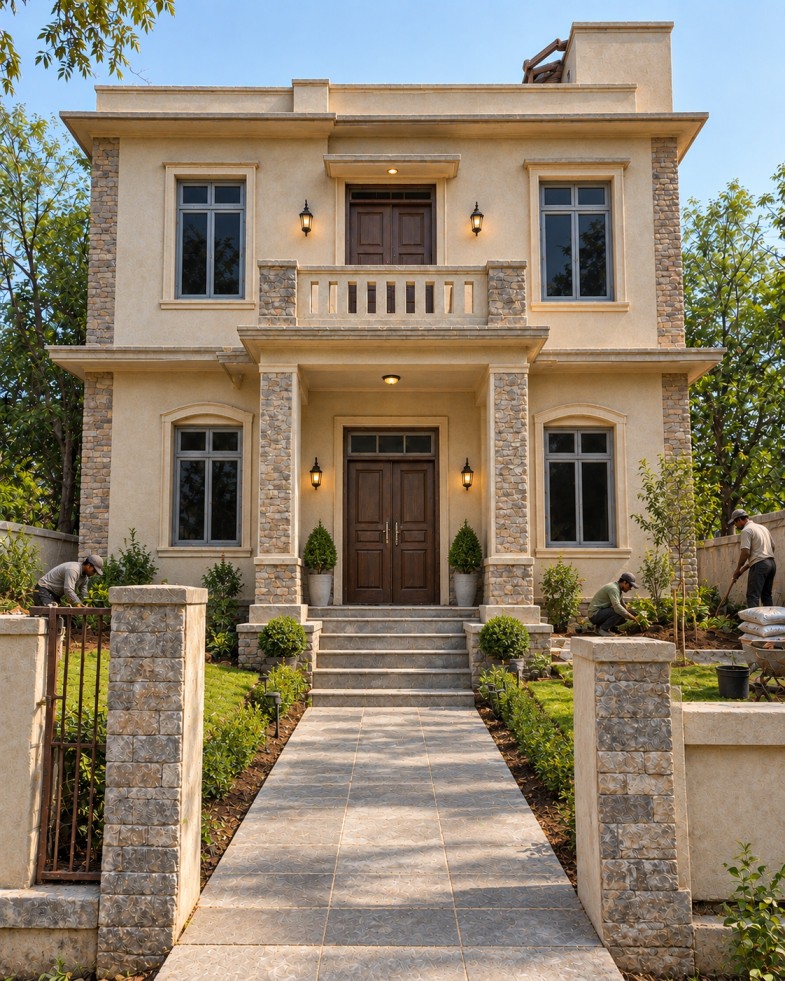
Don’t make the final reveal appear from nowhere.
Checkpoint 5 – Landscaping
Step 7: Create the Final Reveal
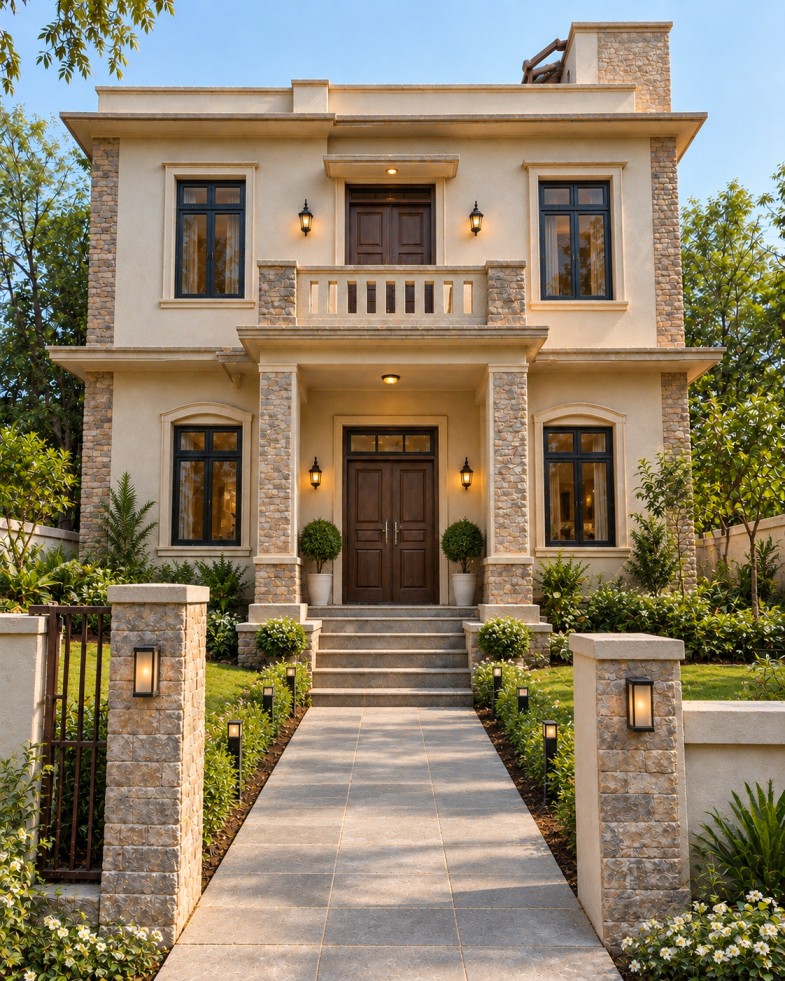
Now you can finally make the house beautiful.
Final Image Prompt
Step 8: Animate One Checkpoint at a Time
This is the part that makes the workflow work.
Don’t attempt:
Frame 1 → Frame 6
in one generation.
Instead:
1 → 2
2 → 3
3 → 4
4 → 5
5 → 6
One Reddit creator specifically described this consecutive-frame method as the key to making the final video feel continuous: each generated clip starts from the previous checkpoint and moves toward the next one.
Another Reddit workflow describes generating short clips and stitching them together rather than relying on one long generation.
Transition Prompt 1 – Abandoned House → Cleanup
Transition Prompt 2 – Cleanup → Construction
Transition Prompt 3 – Construction → Exterior Finish
Transition Prompt 4 – Finishing → Landscaping
Transition Prompt 5 – Landscaping Final Reveal
The Trick That Makes the Video Look More Expensive
Here’s what I would actually suggest as a workflow:
Don’t do a dramatic change to every checkpoint.
Keep each frame just a little more finished than the one before.
For instance:
Frame 1: demolished
Frame 2: excised
Frame 3: fixing structure
Frame 4: walls/windows completed
Frame 5: almost finished exterior
Frame 6: landscape
Frame 7: The End
That gives the video a place to go.
If Frame 1 is terrible and Frame 2 already looks almost finished, there is no room for the transformation to grow.
What Usually Goes Wrong The House Changes
This is the greatest failure.
You might start with a small one-story house and end up with a totally different two-story building
Say explicitly to the model using the previous checkpoint as a visual referent:
Don’t re-architect.
The Camera Moves (3)
A moving camera can look cinematic, but makes for much harder before/after transitions.
For this format, a locked camera is usually much more valuable than fancy cinematography.
The Move to Windows
Windows like change.
State:
same window positions, same window sizes, same doors, same roofline.
The Landscaping Is Too Early
If the final garden pops up suddenly between construction, it looks fake.
Add landscaping in its own checkpoint and do it gradually.
Too Many Things Happen at Once
The objective is not to have the AI do all at once.
The audience should get:
“I’m looking at this house going up.
That’s why this workflow is better served by short sequential transformations.
A Better 20 Second Structure
For a quick reel or YouTube short:
Time Stage 0-2 sec Abandoned house hook
2–5 sec Removal
5–8 sec.Renovation of structure
8-11 sec .Outside finishing 11-14 sec Landscape 14-18 secFinal reveal 18–20 secCompleted household on
The last image is worth a moment of pause.
Don’t cut away from it right away.
The payoff is the completed property.
Editing
Once the clips have been generated, sort them in order.
A simple workflow is sufficient:
Clip 1 → Clip 2 → Clip 3 → Clip 4 → Clip 5
Throw in:
subtle construction mood
soft sounds of impact
occasional swishings
background music that builds up a final sound accent at the reveal
You don’t have to use heavy transitions.
Transformation should be provided by the AI-generated motion already.
One Reddit creator explained that they stitched short generated clips together using CapCut and added simple ambient/lo-fi audio instead of narration.
One Important Warning For Real Estate Contents
The main difference is:
AI Concept Illustration
and ;
a picture of a real renovation.
If these are for real estate marketing, don’t present a renovation created by AI as if the work was performed.
This issue has come up already in discussions about real-estate photography, where users noted that AI renovations can invent or remove structural features and thus become misleading when presented as actual property conditions.
For social content, a simple label like:
“AI is an idea, not a renovation”
can clarify the purpose.
FAQ
Can I create an AI house renovation video with only two images?
Yes. You can do a before image and final image . But generally , you have more control of how the transformation progresses by adding intermediate checkpoints . One Reddit workflow is dedicated to creating a believable middle construction stage between before and after pictures.
Do I have to make the whole video in a single prompt?
No. For this kind of transformation, a staged image-to-video workflow can be more manageable. When creators discuss these workflows, they often explain that they first create still checkpoints, and then animate the transitions.
How many images do I have to create?
For a 15-30 second video, you can start with about 5-7 checkpoints. More checkpoints mean more control, fewer checkpoints mean each transition is more dramatic.
Why is my AI house changing from frame to frame?
Usually because the model is not provided enough visual information to maintain the original structure. Reuse the previous checkpoint, lock the camera composition and explicitly preserve the roofline, windows, doors and proportions.
Text to video or image to video?
Image to video is often easier for a controlled architectural transformation because the still image defines the precise visual state you want before you introduce motion. A similar discussion on Reddit’s AI-video workflow describes creators moving away from pure text-to-video to still-image-first workflows for better consistency.
Can I do interior renovation videos?
Yes. This system also works with:
bedrooms kitchens bathrooms living rooms basements garages restaurants offices empty rooms
The key is identical: identical camera + identical architecture + incremental checkpoints.
Concluding thoughts
What’s really impressive about an AI house restoration video isn’t the final house.
It’s the connection between the ugly house and the pretty one.
Instead of asking an AI video model to invent a whole renovation in one generation, create the renovation as a sequence:
Before Site prep Building Finishing Landscaping Unveiling
Then animate each checkpoint to the next.
That’s the difference between an AI video that feels like a random morph versus one that really feels like a construction timelapse.