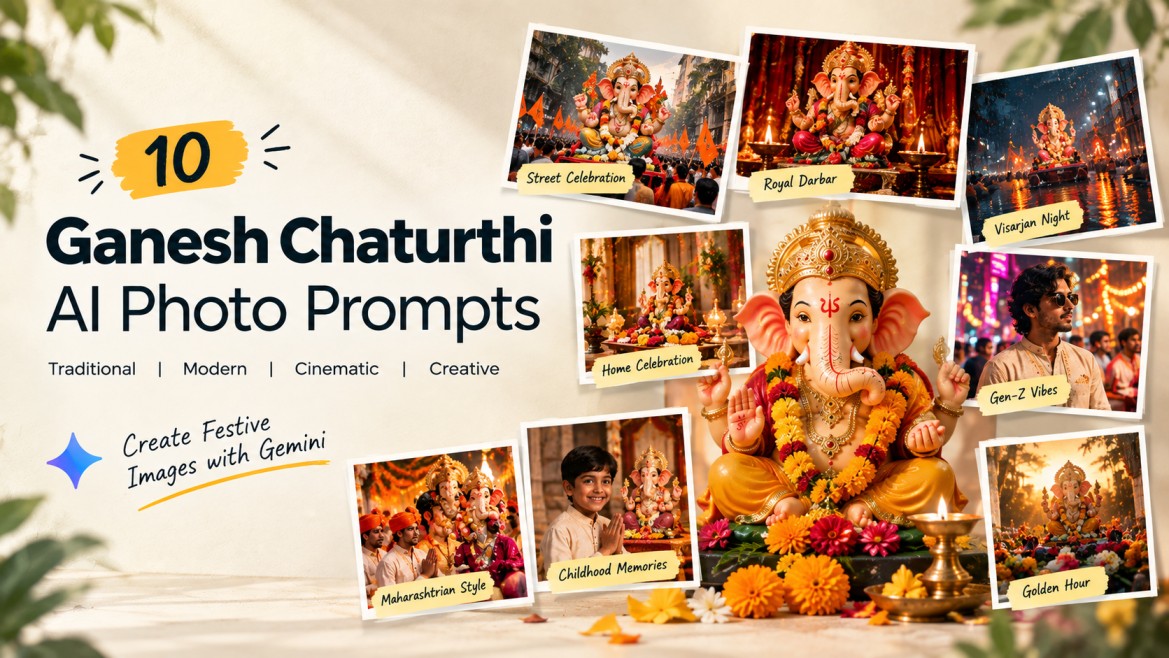
Ganesh Chaturthi is one of those festivals that already looks cinematic without needing much editing. Flowers, diyas, colorful decorations, traditional outfits, street celebrations, and Ganesh Visarjan all give AI image generators plenty to work with.
If you’re looking for Ganesh Chaturthi AI photo prompts that go beyond simply placing your photo next to a Ganesha idol, these prompts give you different styles to experiment with.
You can use them in Gemini or other AI image-generation tools that support photo uploads.
For the best results, upload a clear photo of yourself and tell the AI to use it as the identity reference.
How to Use These Ganesh Chaturthi Prompts
- Open Gemini or your preferred AI image generator.
- Upload a clear photo of yourself.
- Copy one of the prompts below.
- Paste it with your uploaded photo.
- Generate the image.
- If the face changes too much, ask the AI to preserve the facial characteristics from your reference image.
For images involving religious elements, you can also adjust the clothing, decorations, colors, and environment to match your own style.
1. Mumbai Ganesh Chaturthi Street Celebration
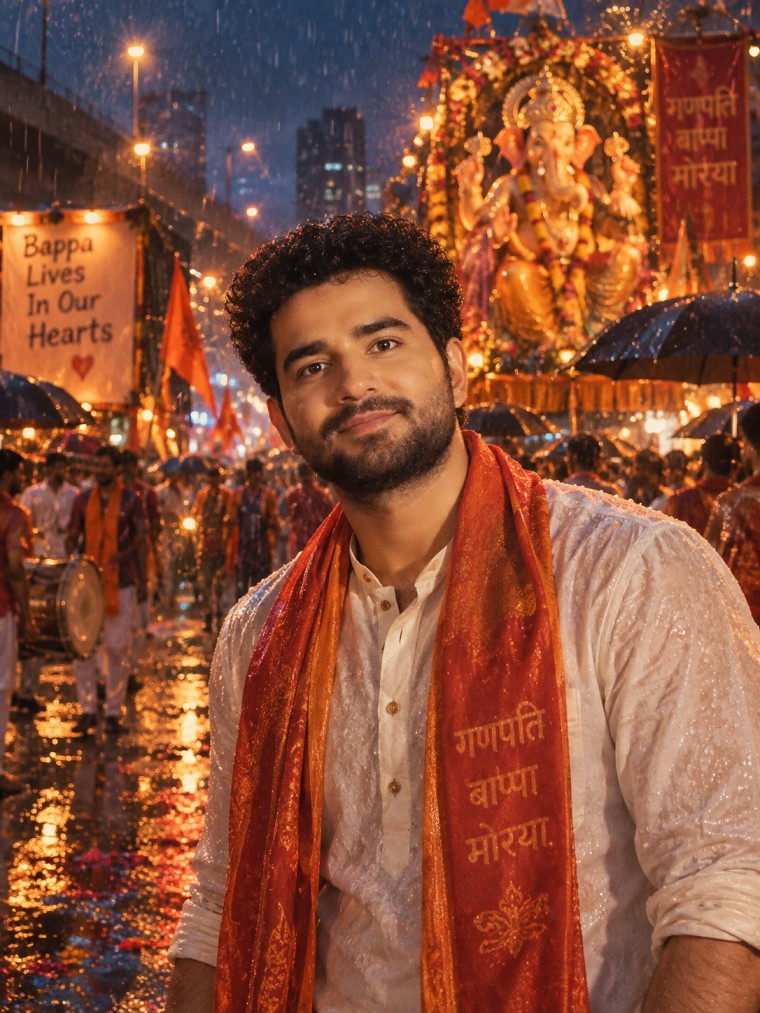
Prompt
2. Royal Red-Gold Ganesh Darbar
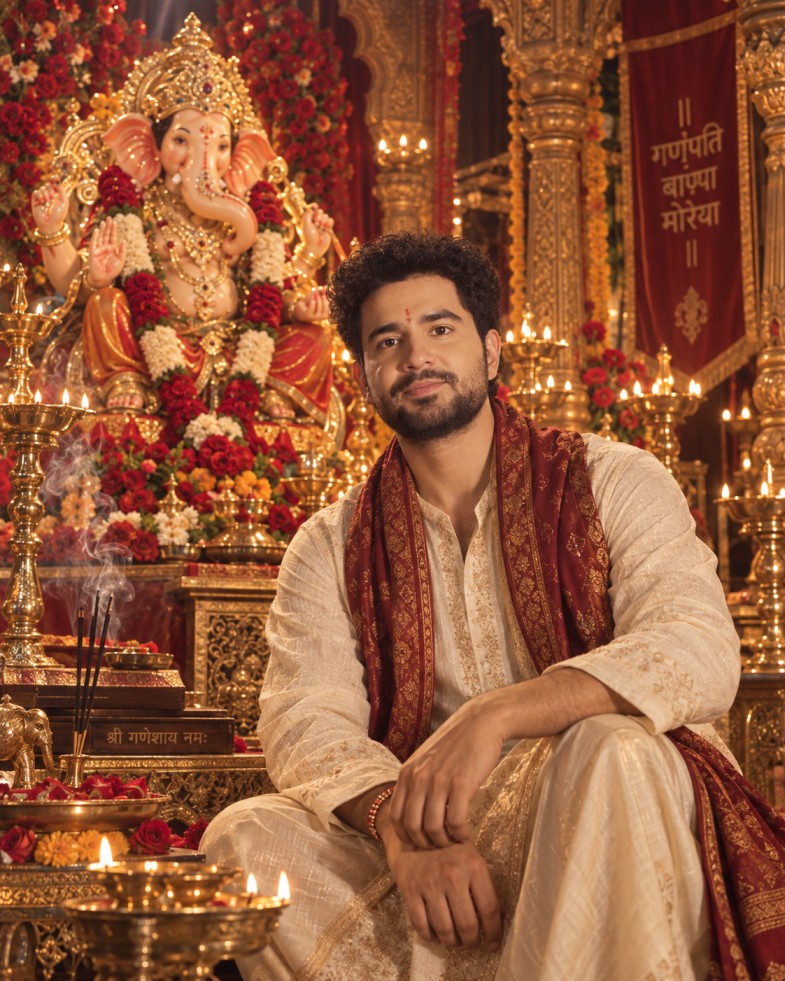
Prompt
Why try it:
The red-and-gold palette makes this particularly suitable for a premium Instagram portrait.
3. Rainy Ganesh Visarjan Night
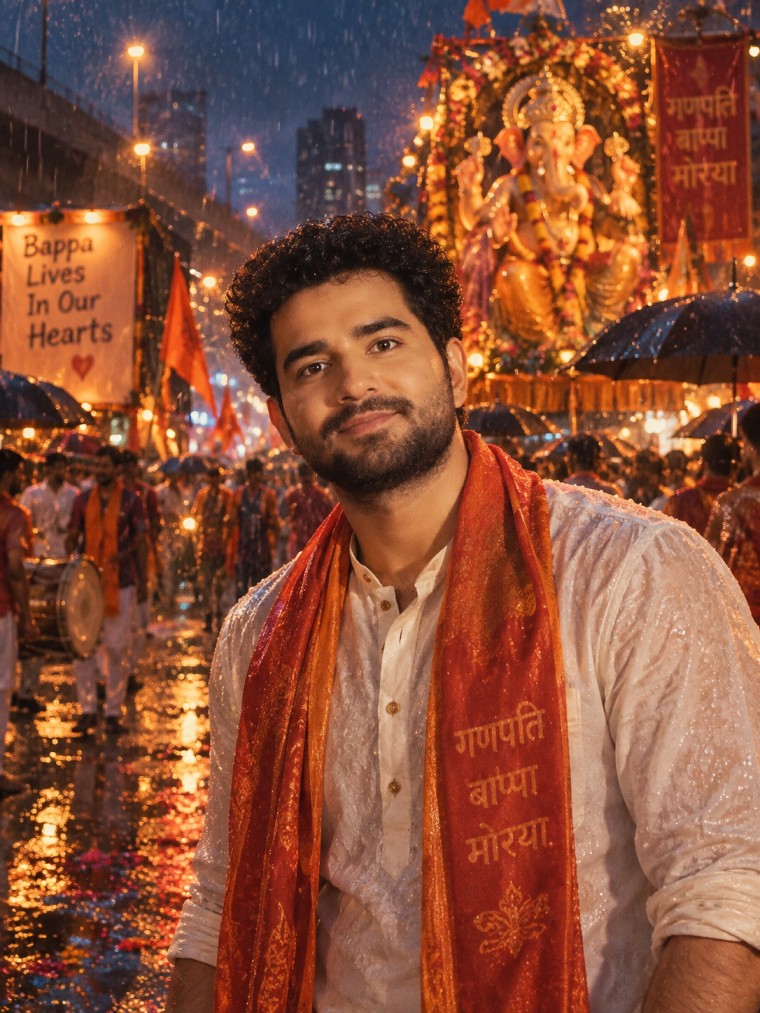
Prompt
Why try it:
The contrast between cool rainy surroundings and warm festival lighting gives the image a movie-like atmosphere.
4. Ganesh Chaturthi Home Celebration
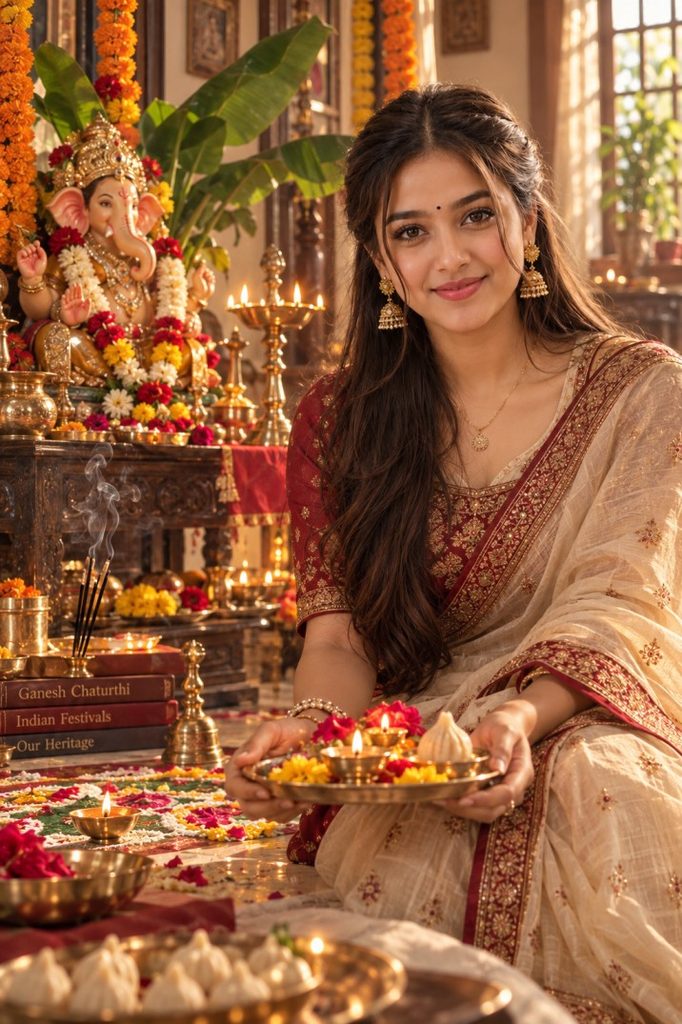
Prompt
Why try it:
This one feels more personal and less like a commercial festival poster.
5. Modern Gen-Z Ganesh Chaturthi
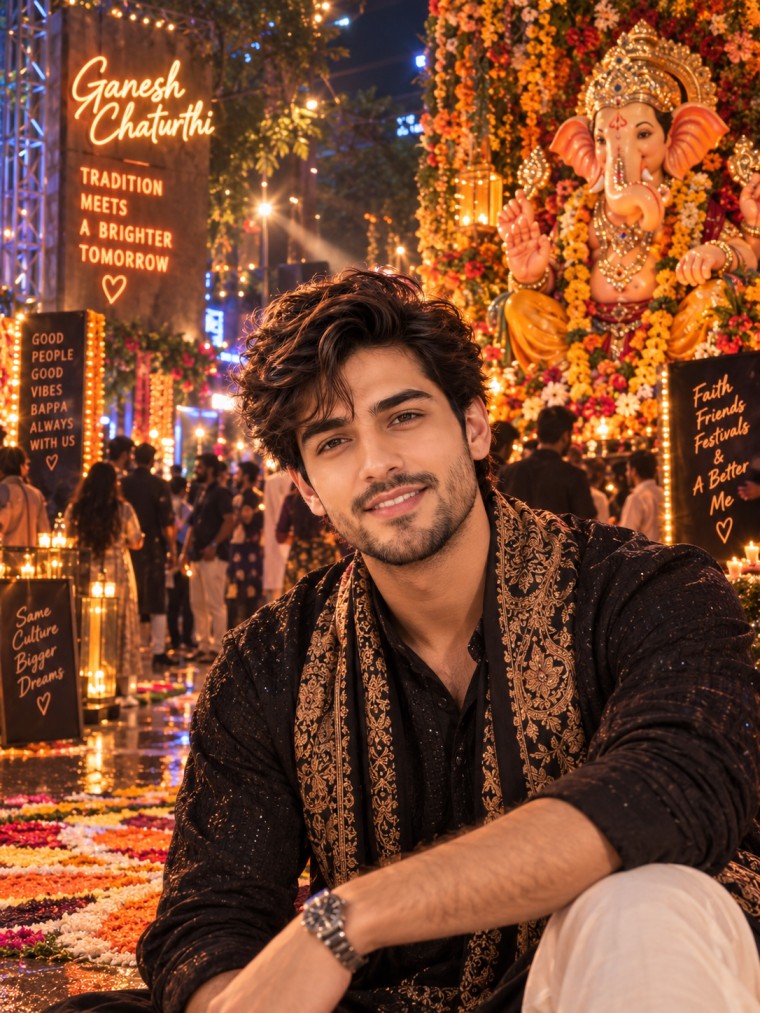
Prompt
Why try it:
It’s a good choice if your usual Instagram aesthetic is modern rather than traditionally festive.
6. Traditional Maharashtrian Ganeshotsav
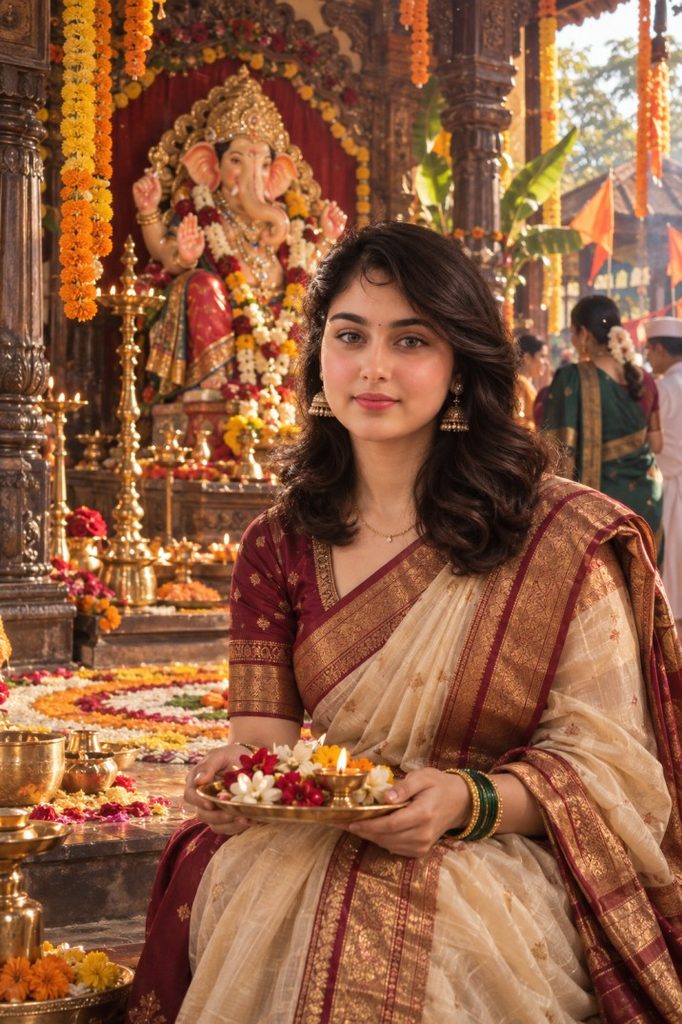
Prompt
Why try it:
Instead of relying on generic “Indian festival” styling, it gives the image a stronger regional identity.
7. Luxury Floral Ganesh Portrait
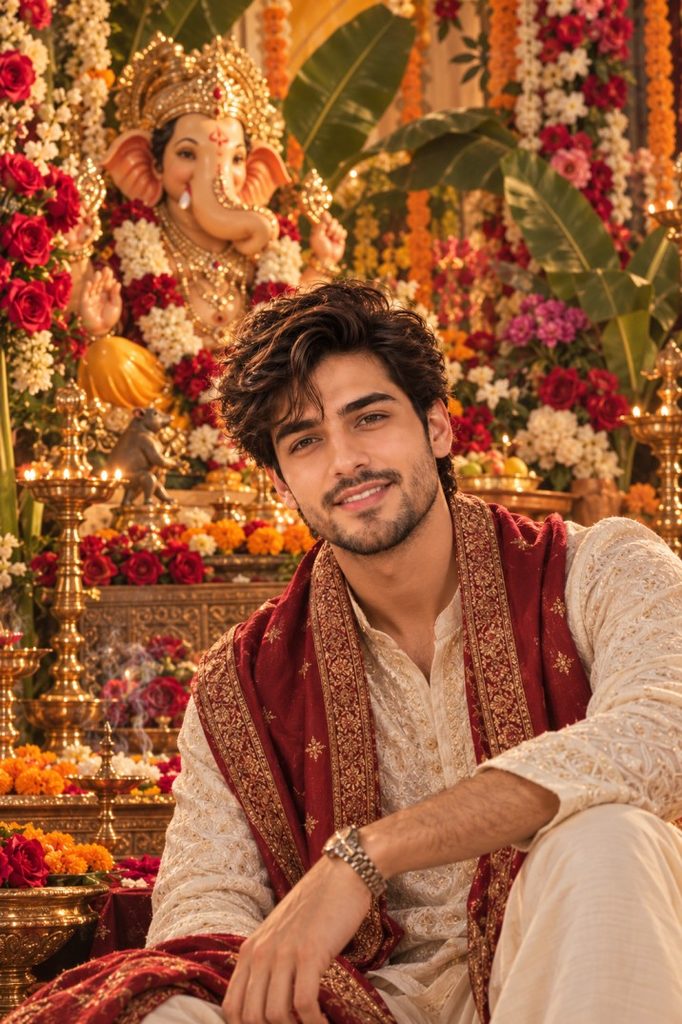
Prompt
Why try it:
The floral background creates a clean, premium look without needing a crowded street scene.
8. Childhood Ganesh Chaturthi Memory
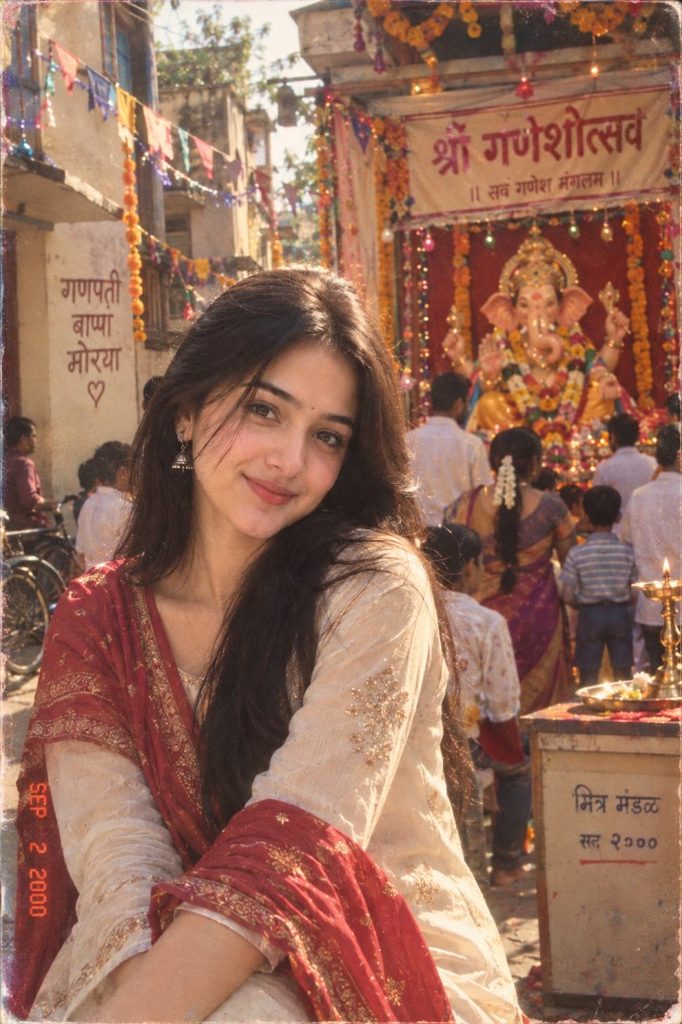
Prompt
Why try it:
The imperfect camera aesthetic makes this feel like a memory rather than an AI-generated festival poster.
9. Golden-Hour Ganesh Chaturthi
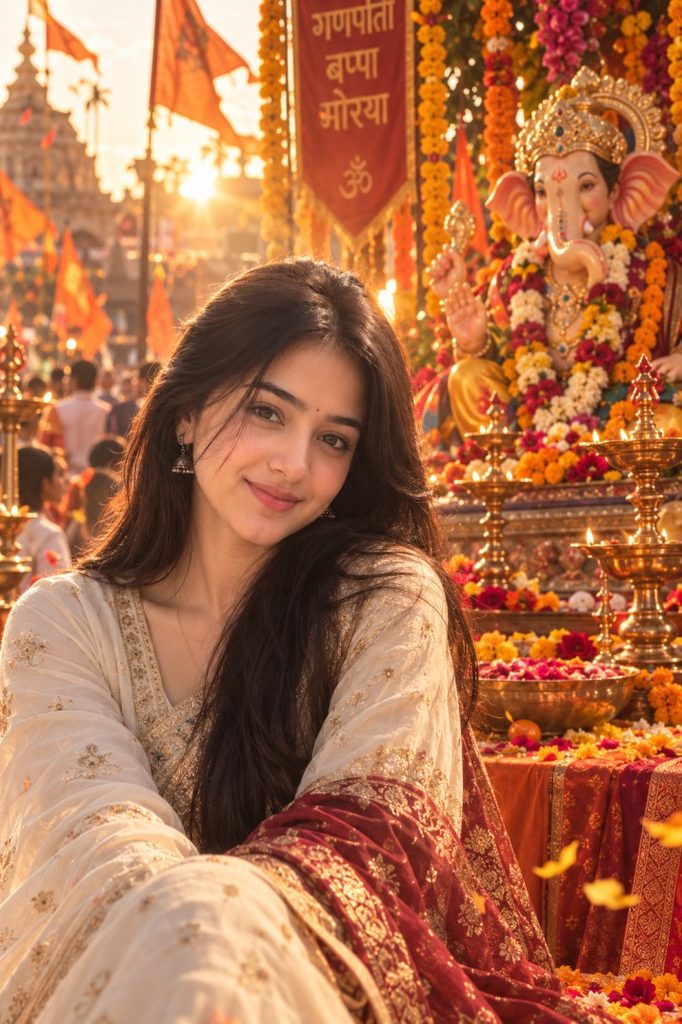
Prompt
Why try it:
Golden-hour lighting gives the image warmth while keeping the overall composition bright enough for social media.
10. Cinematic Ganesh Visarjan Procession
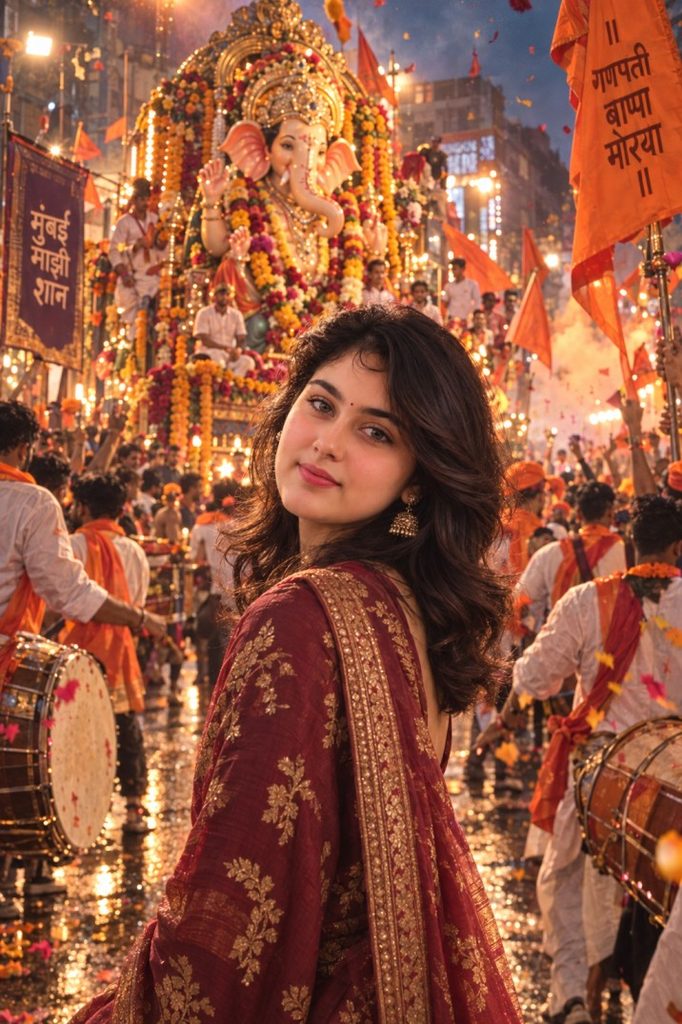
Prompt
Why try it:
Rather than treating the idol as a static background object, the prompt makes the entire procession part of the story.
Which Ganesh Chaturthi Prompt Should You Try First?
If you’re not sure where to start, choose according to the type of image you want:
| Your Style | Prompt |
|---|---|
| Realistic festival photo | #1 Street Celebration |
| Luxury portrait | #2 Royal Ganesh Darbar |
| Cinematic rainy photo | #3 Visarjan Night |
| Personal/family feel | #4 Home Celebration |
| Modern Instagram look | #5 Gen-Z Celebration |
| Traditional regional style | #6 Maharashtrian Ganeshotsav |
| Floral portrait | #7 Luxury Floral |
| Nostalgic image | #8 Childhood Memory |
| Bright aesthetic photo | #9 Golden Hour |
| Dramatic festival scene | #10 Visarjan Procession |
Tips for Better Ganesh Chaturthi AI Photos
Use a clear reference photo
A clear, well-lit photo generally gives the AI more useful information about your facial characteristics.
Don’t overload the first generation
If the result isn’t right, refine it with a short follow-up rather than immediately adding dozens of extra instructions.
For example:
Keep the same face from my uploaded reference. Change only the clothing, background, and lighting.
Try different festival environments
The biggest difference between these prompts isn’t simply the outfit. It’s the environment: street celebration, home पूजा, monsoon Visarjan, floral installation, royal setting, or neighborhood celebration.
Keep the face consistent
If your AI tool changes your appearance, add:
Preserve my recognizable facial features and natural appearance from the uploaded reference image. Do not unnecessarily change my face.
Experiment with vertical images
For Instagram Stories, Reels covers, and WhatsApp Status, you can add:
Create the composition in a vertical 9:16 format with the subject clearly visible.
Frequently Asked Questions
Can I use these Ganesh Chaturthi prompts in Gemini?
Yes. These prompts are structured for AI image generators that support image uploads and image-to-image generation, including Gemini where the relevant image-generation feature is available.
Can I use my own photo?
Yes. Upload your photo and use it as the identity reference. The prompts are written to preserve recognizable facial characteristics while changing the environment, clothing, and visual style.
Which prompt is best for Instagram?
#5 Modern Gen-Z Ganesh Chaturthi and #9 Golden-Hour Ganesh Chaturthi are good starting points if you want a contemporary social-media aesthetic.
For a more dramatic result, try #3 Rainy Visarjan Night or #10 Cinematic Visarjan Procession.
Can I change the outfit?
Yes. Replace the clothing description with a saree, kurta, lehenga, sherwani, traditional Maharashtrian clothing, or another outfit that fits your desired look.
Can I make these prompts more realistic?
Add details such as:
natural skin texture, realistic fabric, physically accurate lighting, authentic environmental details, documentary photography, natural imperfections, photorealistic result.
Avoid adding too many contradictory style instructions at once.
Final Thoughts
Ganesh Chaturthi images don’t have to follow the same formula of person + Ganesha idol + orange background.
These 10 prompts explore different directions, from busy Mumbai streets and rainy Visarjan nights to intimate home celebrations, Maharashtrian traditions, floral portraits, nostalgic neighborhood memories, and modern Gen-Z festival aesthetics.
Start with one prompt, generate your image, and then make small changes to the clothing, lighting, colors, or environment until you find a version that feels personal.
For the most visually different results, start with #3, #5, #8, or #10.